Loading...

使用 curl 测试流式输出接口(SSE)

由于 Swagger 对流式输出(Server-Sent Events)的测试不够直观,本文介绍如何使用 curl 命令行工具测试 SSE 接口。

前提条件:

  • Windows 11 专业版

  • Git for Windows(自带 Git Bash 和 curl)

  • 后端服务运行在 http://localhost:8080

  • 有效的用户账号和密码

测试步骤

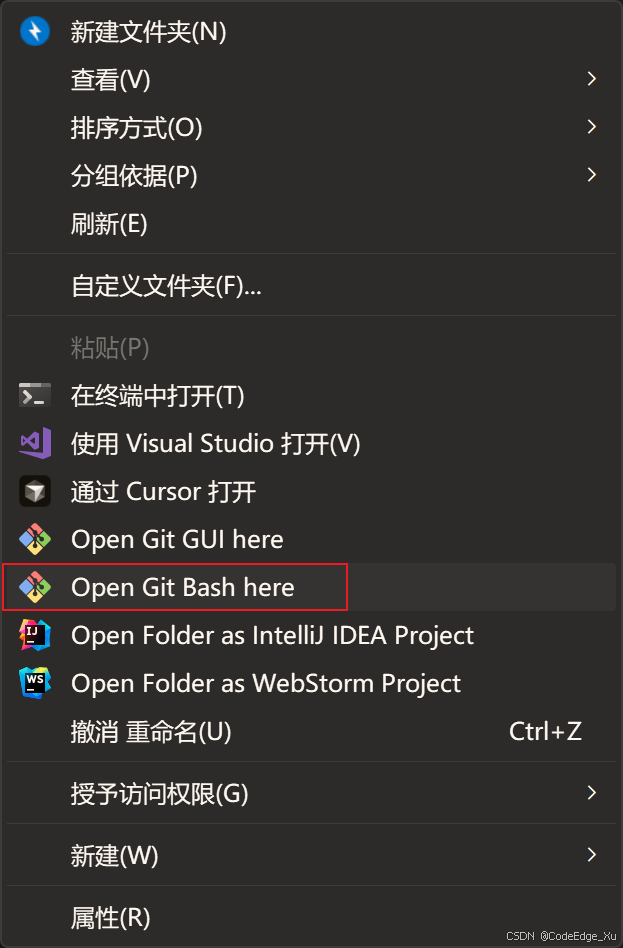
1.任意进入一个文件夹,【右键】选择【Open Git Bash here】 在这里插入图片描述 2.执行以下命令,进行登录,获取 Cookie,并将 Cookie 保存到 cookies.txt 文件中
1
2
3
4
5
6
7
curl -X POST "http://localhost:8080/api/user/login" \
  -H "Content-Type: application/json" \
  -d '{
    "userAccount": "CodeEdge_Xu",
    "userPassword": "xxxxxxxx"
  }' \
  -c cookies.txt

3.调用生成代码接口(流式)

⚠️注意:

需要先从Swagger中获取appIdmessage,测试已经创建好的应用ID。

1
2
3
4
5
6
7
curl -G "http://localhost:8080/api/app/chat/gen/code" \
  --data-urlencode "appId=xxxx" \
  --data-urlencode "message=做一个大模型笔记网站,总代码行数不超过30" \
  -H "Accept: text/event-stream" \
  -H "Cache-Control: no-cache" \
  -b cookies.txt \
  --no-buffer
最后更新于 2026-04-05 17:35:33
Code Road Record